Plugin Template Configuration
- Deniz Oğuz
- Gökçe Karaduman
You can change default email template used by the plugin from the settings. You can use variables from reminder itself or issue to add information to email body or subject. List of available variables are also available inside plugins template configuration page. Click on the question mark icon next to template to display it. Templates are Velocity templates, you can use any Velocity keyword inside the template. If you want to return to default template, just delete everything and save as empty, it will automatically revert to default template.
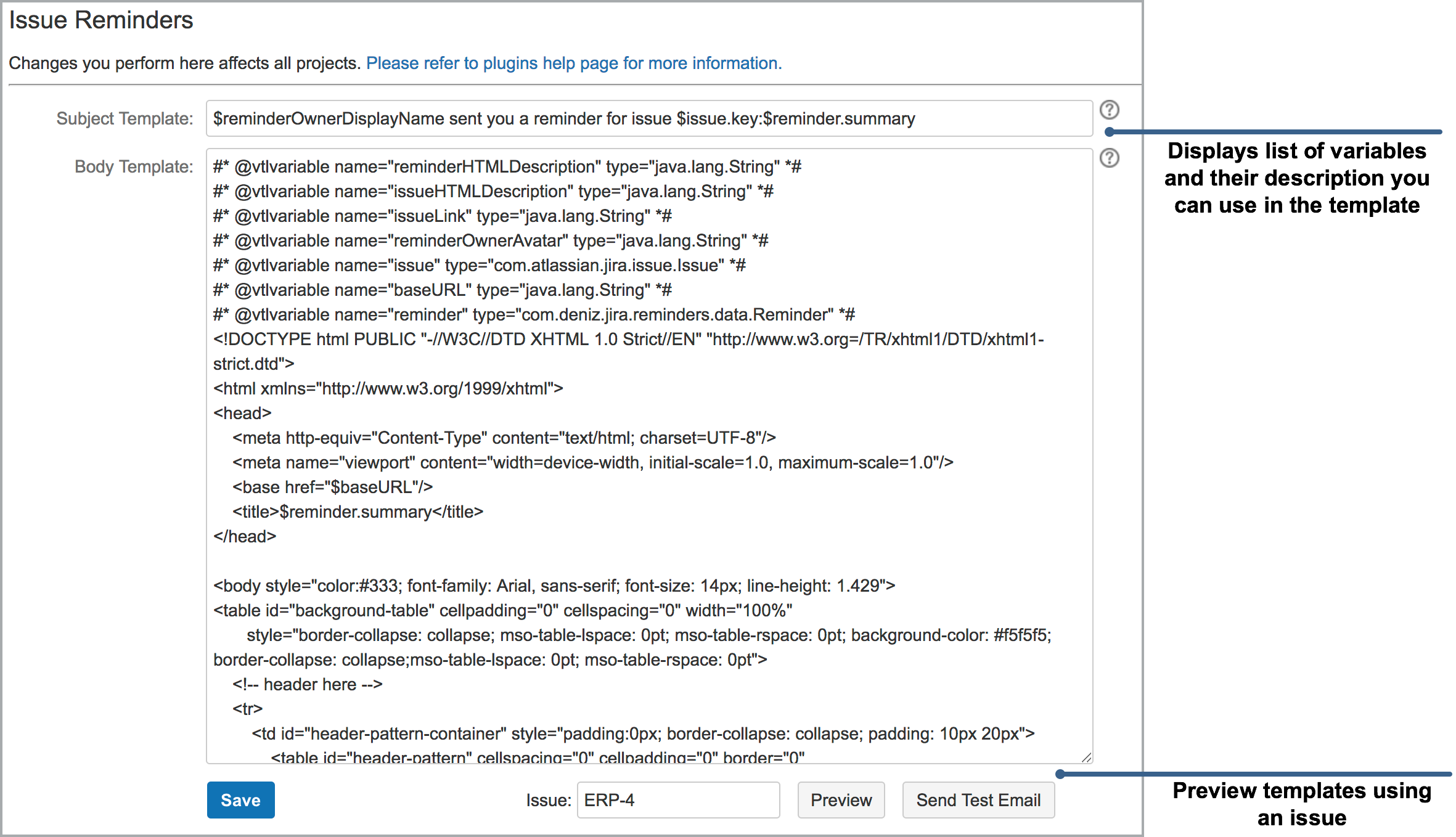
At any time you can preview the template using a target issue within the page or send a test email using "Preview" and "Send Test Email" buttons. Please allow a few minutes after pressing the "Send Test Email" because Jira queues email before sending them as a batch.
By clicking on the little question mark icon next to template field, you can display variables you can use in the templates and their description.
| Variable | Description |
|---|---|
| $baseURL | URL of JIRA |
| $issueLink | URL of issue |
| URL of issue | URL of issue icon |
| $issueHTMLDescription | Issue description as HTML |
| $issue.key | Issue key |
| $issue.summary | Issue summary |
| $issue.assignee.displayName | Name of issue assignee |
| $issue.reporter.displayName | Name of issue reporter |
| $issue.project.name | Name of project |
| $issue.project.key | $issue.project.key |
| $issue.statusObject.name | Status of the issue |
| $issue.resolutionObject.name | $issue.resolutionObject.name |
| $reminderOwnerDisplayName | Name of the user who created the reminder |
| $reminderOwnerAvatar | Avatar URL of the user who created the reminder |
| $reminder.summary | $reminder.summary |
| $reminder.longDescription | Description of reminder |
$reminderHTMLDescription | Reminder description as HTML |
| $remainingDuration | Remaining duration until End Date of reminder, or Due Date/Relative Date of issue |
| $remainingDurationInDays | Remaining duration in days until End Date of reminder, or Due Date/Relative Date of issue |
| Any Custom Field | $reminderService.getCustomFieldValue($issue, "Name of Custom Field") |
Displaying Relative Date in a Relative Reminder
#set ($issueId = $reminder.getIssueId())
#set ($relativeTo = $reminder.getKeyOfRelativeToField())
#if ($relativeTo)
	#set($relativeDate = $reminderService.getDateFieldFromIssue($issueId, $relativeTo))
	#if ($relativeDate)
		date: $dateTimeFormatter.format($relativeDate)
	#else
		relative date field is not set on issue
	#end
#else
	not relative reminder
#end
Prevent showing custom field code when custom field value is empty
#set($value = $reminderService.getCustomFieldValue($issue, "TEST JES Checkboxes"))

#if ($value)
 <p>Checkbox field:$value</p>
#else
 <p>Checkbox field is empty</p>
#end
Differentiate custom fields if they have the same name
def cf = $customFieldManager.getCustomFieldObject(id)
$issue.getCustomFieldValue(cf)